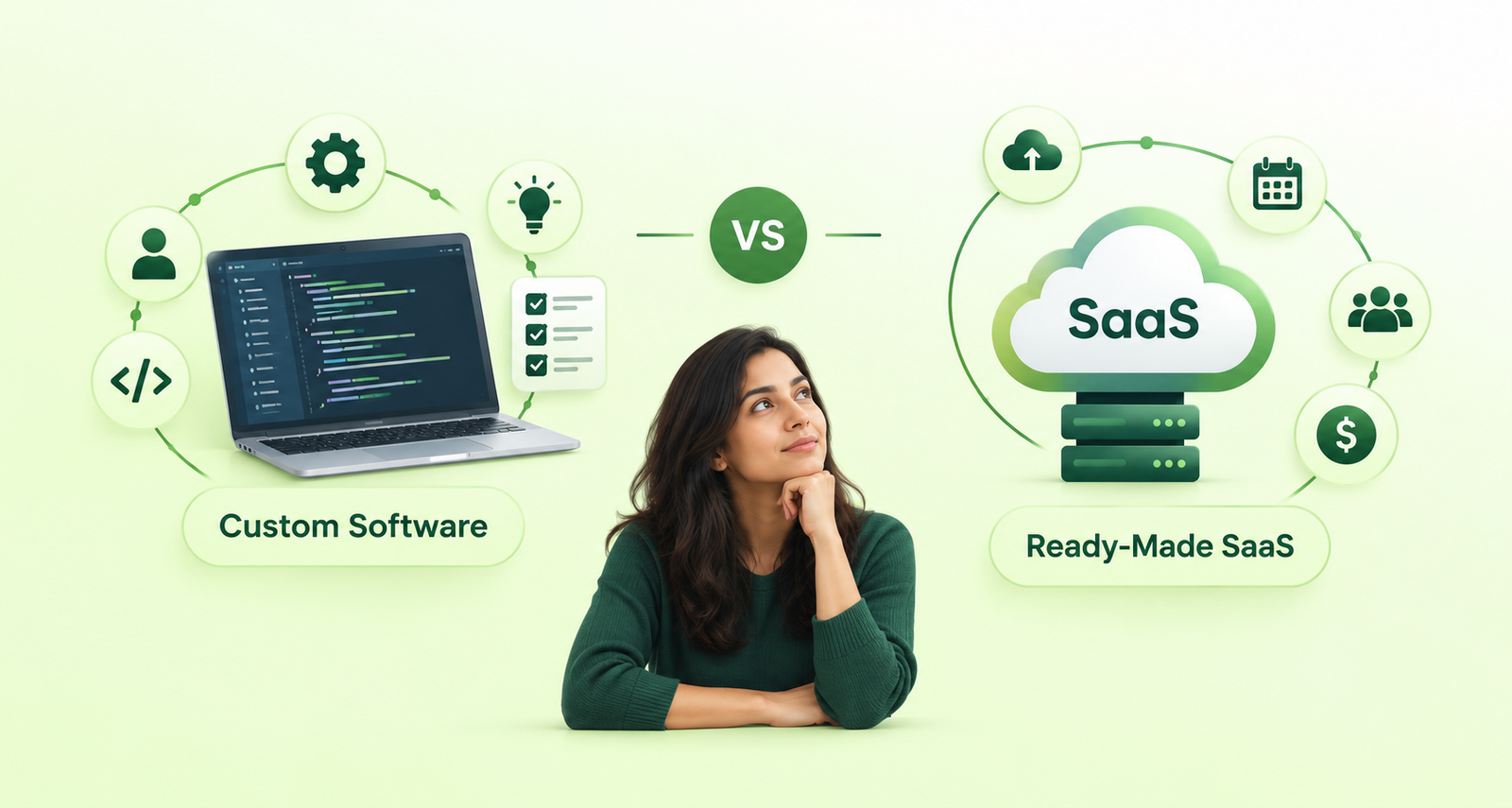
Choosing between custom software and ready made Software as a Service (SaaS) is an important decision for any growing business. The right choice can help streamline operations, reduce manual work, improve customer experiences, and support long-term growth. The wrong choice may lead to unnecessary expenses, limited functionality, or complicated workflows.
Custom software is generally a better choice when your business needs specialized features, unique workflows, or deeper integrations. Ready made SaaS is often the better option when you need standard functionality, quick implementation, and predictable subscription costs.
However, the best option depends on your business requirements, budget, existing systems, security needs, and future plans.
In this guide, we compare custom software vs. ready made SaaS, explain their advantages and limitations, and help you determine which approach makes the most sense for your business.
What Is Custom Software?
Custom software is an application developed specifically for a business’s requirements, workflows, and objectives. Instead of adapting your operations to an existing product, the software is designed around how your business works.
A custom software solution can be a web application, internal management system, customer portal, mobile app, CRM, ERP, or platform that connects multiple business processes.
For example, a distribution company may need a system that combines inventory tracking, supplier management, order processing, and approval workflows. If existing products cannot handle these requirements efficiently, custom software may provide a more suitable solution.
Key benefits of custom software
- Business specific functionality: Features are built around your actual requirements.
- Greater flexibility: Workflows and features can evolve as your business changes.
- Integration capabilities: The system can connect with relevant APIs, databases, payment gateways, and existing business tools.
- Control over development: You can prioritize improvements based on business needs.
- Competitive differentiation: Unique processes and customer experiences can be supported by software designed specifically for your business.
Potential limitations of custom software
Custom software usually requires a larger initial investment and more planning than subscribing to an existing platform. Development may take weeks or months, depending on the project’s complexity.
Your business must also account for testing, security updates, hosting, monitoring, maintenance, and future enhancements. These responsibilities can be handled internally or through a development partner.
Custom software is most valuable when the benefits of a solution designed for your business outweigh the cost and responsibility of building and maintaining it.
What Is Ready-Made SaaS?
Ready made SaaS is software developed for multiple customers and delivered through the internet, usually through a subscription. The provider typically manages hosting, infrastructure, updates, and much of the ongoing maintenance.
Businesses can start using SaaS products without building an application from scratch.
Common examples include project management platforms, accounting software, email marketing tools, customer relationship management systems, and customer support applications.
Key benefits of ready made SaaS
- Faster implementation: Many products can be configured and used within hours or days.
- Lower upfront cost: Most solutions charge recurring subscription fees instead of requiring a large development investment.
- Managed maintenance: The provider generally handles product updates and infrastructure.
- Established functionality: Common business requirements are already supported.
- Predictable starting costs: Subscription plans make initial budgeting easier, although costs can increase with usage and additional features.
Potential limitations of ready made SaaS
SaaS products are built to serve a broad customer base, so they may not support every business-specific workflow.
Customization may be limited to available settings, extensions, or APIs. Your business may also face user limits, usage restrictions, integration challenges, price increases, or dependence on the provider’s roadmap.
Before choosing a SaaS product, check whether it can support your essential workflows today and whether its limitations could become costly as your business grows.
Custom Software vs. Ready-Made SaaS: Key Differences
The main difference is that custom software is designed around your business requirements, while SaaS provides existing functionality that your business configures and uses.
| Factor | Custom Software | Ready-Made SaaS |
|---|---|---|
| Initial cost | Usually higher | Usually lower |
| Time to launch | Often weeks or months | Often hours or days |
| Customization | Designed around specific requirements | Limited to available options and extensions |
| Maintenance | Must be planned and managed | Mostly managed by the provider |
| Scalability | Can be designed around expected growth | Depends on the provider’s plans and architecture |
| Integrations | Can be developed for specific systems | Depends on supported integrations and APIs |
| Ownership and control | Depends on the contract, IP rights, and architecture | Provider controls the core product |
| Ongoing costs | Hosting, maintenance, support, and enhancements | Recurring subscriptions, add-ons, and usage fees |
| Best suited for | Specialized processes and unique requirements | Standard, widely shared business needs |
When Should You Choose Ready-Made SaaS?
Ready-made SaaS is usually the practical choice when your business needs standard functionality and wants to get started quickly.
Consider SaaS if:
1. Your requirements are straightforward. If you need common features such as invoicing, email marketing, team collaboration, or basic CRM functionality, an established platform may already meet your needs.
2. You want to minimize initial investment. A subscription can be more affordable than developing a dedicated application, particularly for small businesses and early-stage startups.
3. You need to launch quickly. When speed matters, configuring an existing product is often faster than planning, building, testing, and deploying a custom system.
4. You have limited technical resources. SaaS providers generally handle infrastructure and product maintenance, reducing the operational burden on your team.
5. Your business processes are likely to remain standard. If your workflows align with the software’s existing features, paying for custom development may not provide enough additional value.
Example: A small marketing agency
A small agency needs project management, invoicing, time tracking, and team communication. Several established SaaS products can cover these requirements without requiring a dedicated application.
In this situation, ready made SaaS is likely the more cost-effective starting point.
When Should You Choose Ready-Made SaaS?
Ready-made SaaS is usually the practical choice when your business needs standard functionality and wants to get started quickly.
Consider SaaS if:
1. Your requirements are straightforward. If you need common features such as invoicing, email marketing, team collaboration, or basic CRM functionality, an established platform may already meet your needs.
2. You want to minimize initial investment. A subscription can be more affordable than developing a dedicated application, particularly for small businesses and early-stage startups.
3. You need to launch quickly. When speed matters, configuring an existing product is often faster than planning, building, testing, and deploying a custom system.
4. You have limited technical resources. SaaS providers generally handle infrastructure and product maintenance, reducing the operational burden on your team.
5. Your business processes are likely to remain standard. If your workflows align with the software’s existing features, paying for custom development may not provide enough additional value.
Example: A small marketing agency
A small agency needs project management, invoicing, time tracking, and team communication. Several established SaaS products can cover these requirements without requiring a dedicated application.
In this situation, ready-made SaaS is likely the more cost-effective starting point.
When Should You Choose Custom Software?
Custom software becomes more attractive when existing products create operational limitations or cannot support important business requirements.
Consider custom development if:
1. Your workflows are unique. If your business depends on specialized approval processes, pricing rules, calculations, or operational logic, a custom application can support those requirements directly.
2. You rely on multiple disconnected systems. When employees repeatedly transfer data between tools, custom integrations or a unified platform may reduce manual work and errors.
3. You need specialized automation. Businesses with complex order processing, inventory management, reporting, or resource allocation may benefit from software built around their operations.
4. Existing tools limit your growth. If subscription limits, missing functionality, or workarounds are becoming expensive, a custom solution may provide greater long-term flexibility.
5. The software is part of your competitive advantage. If your business model depends on a unique customer portal, marketplace, internal platform, or digital service, owning and controlling the relevant technology may be strategically important.
Example: A growing distribution business
A distributor manages several warehouses, multiple suppliers, different product categories, and customer-specific pricing. Its employees currently use spreadsheets and separate applications to manage inventory, orders, and approvals.
A custom platform could bring these processes together, automate repetitive tasks, and provide a unified view of operations.
Although development requires an initial investment, the business can evaluate whether reduced manual effort, fewer errors, and improved operational visibility justify the total cost.
Custom Software vs. SaaS: Which Is More Cost-Effective?
The cheapest option at the beginning is not always the least expensive over time.
To compare custom software and SaaS fairly, evaluate the total cost of ownership (TCO) over a defined period, such as three or five years.
Costs of ready made SaaS
- Depending on the product, your total cost may include:
- Monthly or annual subscriptions
- Additional user licenses
- Premium features and add-ons
- Usage-based charges
- Integration and implementation fees
- Data migration and training
- Costs associated with switching providers
Costs of custom software
Your total cost may include:
- Requirements analysis and planning
- UI/UX design and development
- Testing and deployment
- Hosting and infrastructure
- Security updates and maintenance
- Technical support and future enhancements
- Third-party API or software licenses
How to compare the costs
Use this simple approach:
Total cost of ownership = Initial implementation cost + Recurring operating costs + Maintenance and upgrades + Other associated costs
For SaaS, include subscription and usage fees over the full evaluation period. For custom software, include development, hosting, support, and planned improvements.
Then compare the costs against expected business benefits, such as time saved, fewer errors, increased productivity, or additional revenue.
For example, if a SaaS subscription becomes expensive because of per-user fees or requires multiple paid add-ons, custom software may become worth evaluating. However, development costs and ongoing maintenance must still be included.
There is no universal cost threshold at which custom software becomes the better choice. The decision should be based on realistic estimates for your business.
Can You Combine Custom Software and SaaS?
Yes. In many cases, a hybrid approach is the most practical option.
Instead of replacing every existing tool, your business can continue using SaaS for standard functions while building custom software for processes that require greater control or specialized functionality.
For example, a company might use:
- SaaS accounting software for financial management
- A ready-made CRM for sales and customer communication
- Custom software for order processing and internal workflows
- API integrations to synchronize data across these systems
This approach allows the business to benefit from established products without forcing every operational process into their limitations.
However, integrations should be planned carefully. Data consistency, API availability, access controls, error handling, and ongoing maintenance all matter.
A hybrid approach is particularly useful when only part of your business operations require specialized software.
What Should You Consider Before Making a Decision?
Before committing to either option, assess these six areas.
1. Business requirements
List the essential features and workflows the software must support. Separate must-have requirements from optional features.
2. Budget and expected return
Consider initial costs, ongoing expenses, and the measurable business benefits you expect to achieve.
3. Implementation timeline
Determine whether an existing product can meet your needs immediately or whether your requirements justify a longer development process.
4. Integration requirements
Identify the systems that need to exchange data. Check whether suitable integrations and APIs are available.
5. Security and compliance
Review access controls, data storage, backup policies, audit trails, contractual obligations, and any regulatory requirements applicable to your industry.
Custom software does not automatically provide better security or compliance. Both approaches require appropriate safeguards and careful evaluation.
6. Long term flexibility
Consider how your requirements may change as your business grows. Review SaaS plan limits and provider dependencies, or assess the maintainability, documentation, and ownership terms of a custom application.
How BinaryGrace Helps Businesses Choose the Right Approach
At BinaryGrace, we recognize that every business has different operational requirements, budgets, and growth plans. The objective is not to recommend custom software for every challenge, but to identify the approach that best fits the problem.
Our development services include custom web applications, business software, API integrations, mobile applications, and solutions built around existing technology stacks.
Depending on your requirements, the right approach may involve using an existing platform, extending a current system, integrating multiple tools, or developing a dedicated application.
We focus on understanding your workflows, identifying practical requirements, and evaluating the technical options before development begins.
Whether you need a business application, an internal management system, a customer-facing platform, or help connecting existing tools, BinaryGrace can help you assess the available options and plan an appropriate development approach.
Need help deciding between custom software and SaaS? Contact BinaryGrace to discuss your requirements and explore an approach that aligns with your business goals.