A website can look visually impressive and still fail to deliver results.
You may have beautiful colors, modern animations, professional images, and an attractive layout, but if visitors struggle to find information, understand your services, or complete an action, the website is not doing its job.
This is where UI and UX design come into play.
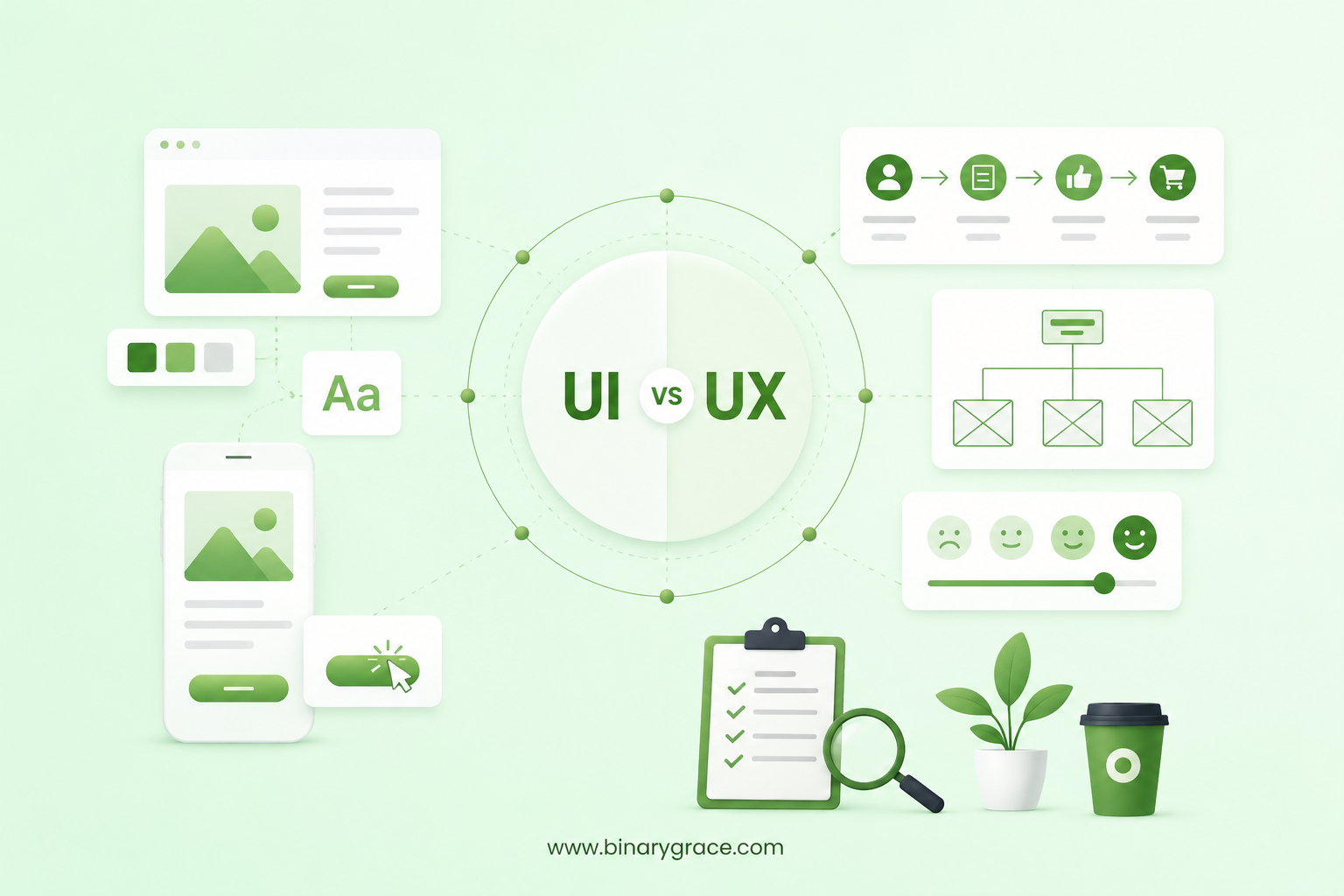
UI (User Interface) and UX (User Experience) are two closely connected parts of modern website design. While UI focuses on how a website looks and feels, UX focuses on how easily and effectively users can interact with it.
So, when designing or redesigning a website, which should you focus on: UI or UX?
The answer is both. However, UX should generally guide the foundation of the experience, while UI brings that experience to life visually.
In this guide, we’ll explain the difference between UI and UX, why both matter, common mistakes businesses make, and what you should prioritize during your next website design or redesign project.
What Is UI Design?
UI stands for User Interface. UI design focuses on the visual and interactive elements users see and interact with on a website or application.
This includes:
- Colors
- Typography
- Buttons
- Navigation menus
- Icons
- Images
- Spacing
- Forms
- Cards
- Animations
- Interactive elements
- Responsive layouts
The goal of good UI design is to create a visually appealing, consistent, and easy to understand interface.
For example, a well designed call to action button should be visually noticeable and clearly communicate what will happen when a user clicks it.
Good UI design answers questions such as:
- Does the website look professional?
- Is the visual hierarchy clear?
- Are buttons easy to identify?
- Are fonts easy to read?
- Are colors consistent with the brand?
- Does the interface work well across desktop, tablet, and mobile devices?
In simple terms, UI design is largely about how your website looks and how its interface behaves.
What Is UX Design?
UX stands for User Experience. UX design focuses on the overall experience a visitor has while using your website.
It considers everything from the moment someone lands on your homepage to the moment they complete an important action, such as submitting a form, purchasing a product, booking a consultation, or contacting your business.
UX design can involve:
- User research
- Customer journeys
- Information architecture
- Website navigation
- Wireframing
- User flows
- Content structure
- Usability testing
- Conversion paths
- Accessibility
- Mobile usability
- Website performance
Good UX design makes it easier for visitors to accomplish what they came to your website to do.
For example, imagine a potential customer visits your website looking for pricing information.
If they can immediately find your pricing page, understand your packages, compare options, and contact your team, the website is providing a good user experience.
If they have to click through multiple pages, search through confusing menus, or struggle to understand what you offer, the UX needs improvement.
UI vs UX: What’s the Difference?
The easiest way to understand the difference is:
UI focuses on the interface. UX focuses on the experience.
Think about a car.
The dashboard, buttons, displays, materials, colors, and overall visual appearance are similar to UI design.
How easily you can understand the controls, adjust the temperature, find your destination, and drive the car comfortably is closer to UX.
Both are important.
A beautiful interface with a frustrating user experience is a problem.
Likewise, a highly usable website with an outdated and unappealing interface may struggle to build trust.
Here is a simple comparison:
| Aspect | UI Design | UX Design |
|---|---|---|
| Full form | User Interface | User Experience |
| Main focus | How the website looks and feels | How the website works and feels |
| Primary goal | Create an attractive and consistent interface | Create a smooth and intuitive user journey |
| Key elements | Colors, typography, buttons, icons, layouts, animations | User flows, navigation, wireframes, information architecture, usability |
| Main question | “Does this interface look and feel right?” | “Is this website easy and enjoyable to use?” |
| User journey | Supports individual interactions | Plans the complete customer journey |
| Common tools | Figma, Adobe XD, Sketch | Figma, FigJam, Miro, usability testing tools |
| Typical deliverables | Visual designs, design systems, UI components | Wireframes, user flows, personas, prototypes |
| Business impact | Builds visual credibility and brand consistency | Improves usability, engagement, and conversion potential |
| When it is used | Mainly during visual interface design | From strategy and planning through testing |
Should UX Come Before UI?
In most website design projects, UX should come first. Why?
Because there is little value in designing beautiful pages before determining how those pages should work.
A typical website design process may start with:
- Understanding business goals
- Identifying target audiences
- Understanding user needs
- Defining website structure
- Creating user flows
- Developing wireframes
- Designing the visual interface
- Building the website
- Testing usability and performance
- Launching and continuously improving the website
Wireframes and UX planning help establish the structure before visual design begins.
Once the user journey and page structure are clear, UI design can create the visual system around that foundation.
This approach can reduce unnecessary redesigns and help ensure that the final website is both attractive and functional.
Why UX Matters for Business Websites
UX design isn’t just about making a website easier to use.
It can directly influence business results.
1. Better Website Usability
A clear website structure allows visitors to find information faster.
If users can easily understand your navigation, services, products, and calls to action, they are more likely to continue exploring your website.
2. Higher Conversion Potential
A well-planned user journey can guide visitors toward important actions.
Depending on the business, these actions could include:
- Requesting a quote
- Booking a consultation
- Filling out a contact form
- Purchasing a product
- Signing up for a newsletter
- Downloading a resource
- Creating an account
Good UX removes unnecessary friction between the visitor and the desired action.
3. Stronger Customer Trust
Users often form an impression of a company based on its website.
A confusing, outdated, or difficult-to-use website can reduce confidence.
A professional UI combined with a smooth UX can help create a stronger digital presence.
4. Better Mobile Experience
A large portion of website traffic comes from mobile devices.
A website that looks great on a desktop but is difficult to navigate on a smartphone is not providing a complete user experience.
Responsive UI design and mobile-focused UX planning should therefore be part of every modern website project.
5. Reduced User Frustration
Visitors are more likely to leave when they cannot quickly understand what a website offers or where they should go next.
Clear content hierarchy, intuitive navigation, readable typography, and strong calls to action can make the experience easier to follow.
Why UI Design Still Matters
If UX is the foundation, UI is what users see and interact with.
A strong user interface can help your business communicate professionalism and brand identity.
Good UI design can help with:
- Brand consistency
- Visual hierarchy
- Content readability
- User engagement
- Navigation clarity
- Trust and credibility
- Accessibility
- Mobile responsiveness
For example, a financial services website may use a different visual language from a creative agency website.
The UI should reflect the brand while remaining usable and accessible. The objective isn’t simply to make a website “look good.” The objective is to create a visual interface that supports the user experience and business goals.
7 Common UI/UX Mistakes to Avoid
Many website problems happen when businesses focus heavily on aesthetics without considering usability.
Here are some common UI/UX design mistakes.
1. Designing Without Understanding the Audience
Your website should be designed around the people who will actually use it.
A design that looks impressive to the internal team may not necessarily make sense to potential customers.
Understanding user needs, expectations, and behavior is an important part of UX design.
2. Overcomplicating Navigation
Visitors shouldn’t have to work hard to find important information.
Keep navigation logical and prioritize the pages that matter most to your audience.
3. Using Too Many Calls to Action
Every page doesn’t need five competing buttons.
A clear primary action can often be more effective than overwhelming users with multiple choices.
4. Ignoring Mobile Users
Responsive website design is no longer optional.
Buttons should be easy to tap, text should be readable, layouts should adapt properly, and important information should remain accessible on smaller screens.
5. Prioritizing Trends Over Usability
Design trends can make a website feel modern, but not every trend improves the user experience.
Animations, unusual navigation, oversized typography, and interactive effects should support the user rather than distract them.
6. Poor Content Hierarchy
Even excellent content can be difficult to consume if it isn’t structured properly.
Use headings, subheadings, spacing, lists, visuals, and clear typography to help visitors scan information.
7. Designing Without Testing
A website can look perfect in Figma and still create problems when real users interact with it.
Testing important user journeys can reveal usability issues before and after launch.
UI vs UX: What Should You Focus on During a Website Redesign?
If you’re redesigning an existing website, don’t start by changing colors, fonts, or animations.
Start by identifying what’s not working.
Ask:
- Where are users dropping off?
- Which pages receive the most traffic?
- Which pages generate leads?
- Can visitors quickly understand what the business offers?
- Is the navigation intuitive?
- Is the website easy to use on mobile?
- Are important calls to action easy to find?
- Is the content organized logically?
- Are there unnecessary steps in the conversion process?
Once these questions are answered, UX improvements can be prioritized.
Then UI design can be used to create a modern, consistent visual experience.
This approach makes a website redesign more strategic instead of simply making the website look newer.
How UI and UX Work Together
UI and UX should not be treated as competing disciplines.
They work together.
UX determines how the experience should function.
UI determines how that experience is presented visually.
For example, imagine an eCommerce website.
UX might determine:
- How users browse products
- How categories are organized
- How filters work
- How users move from product discovery to checkout
- How many steps are required to complete a purchase
UI then determines:
- Product card design
- Button styles
- Typography
- Product imagery
- Colors
- Icons
- Checkout interface
- Visual feedback
When both are planned together, the result can be a website that is attractive, intuitive, and aligned with business objectives.
A Practical UI/UX Website Design Process
At BinaryGrace, we believe effective website design should combine strategy, usability, and visual design.
A practical process can look like this:
Step 1: Understand the Business
Start with the company’s goals, services, audience, competitors, and unique value proposition.
Step 2: Understand the Users
Identify who will use the website and what information or actions they need.
Step 3: Plan the User Journey
Map important user flows and determine how visitors should move through the website.
Step 4: Create the Website Structure
Organize pages, content, navigation, and information architecture.
Step 5: Develop Wireframes
Create low-fidelity layouts to establish structure and functionality before investing heavily in visual design.
Step 6: Design the UI
Develop the visual design system, including typography, colors, components, buttons, imagery, and responsive layouts.
Step 7: Build and Test
Implement the design and test usability across browsers, screen sizes, and devices.
Step 8: Measure and Improve
After launch, analyze user behavior and conversion data to identify opportunities for further improvement.
A website should not be considered finished simply because it has launched.
Continuous optimization can help it perform better over time.
UI vs UX for Mobile Websites
Mobile UX deserves special attention.
A desktop website may provide plenty of space for navigation, content, forms, and visual elements. Mobile devices don’t have that luxury.
Mobile UI/UX design should consider:
- Touch-friendly buttons
- Simple navigation
- Readable text
- Fast loading
- Clear content hierarchy
- Shorter forms
- Appropriate spacing
- Responsive layouts
- Easy to use menus
- Accessible interactive elements
A responsive website should not simply shrink a desktop layout.
The experience should be considered for smaller screens from the beginning.
How Good UI/UX Can Support SEO
UI and UX are not separate from SEO.
A technically optimized website still needs to provide a good experience once visitors arrive.
Good UI/UX can support SEO by improving areas such as:
- Mobile usability
- Website speed
- Content readability
- Navigation
- Internal linking
- Page structure
- Accessibility
- Overall user experience
For example, clear navigation can help both users and search engines understand the relationship between different pages on your website.
However, UI/UX should not be used as a substitute for technical SEO, quality content, keyword research, or a strong SEO strategy.
The best results come when design, development, content, and SEO work together.
Final Thoughts
When planning a website design or redesign, don’t ask only:
“How should our website look?”
Ask:
“How should our customers experience our website?”
That shift in perspective can make a significant difference.
Start with your users, business objectives, content structure, and user journeys. Then use UI design to create a visual experience that is consistent with your brand and easy to use.
At BinaryGrace, we combine UI/UX thinking with modern web development to create websites that are not only visually polished but also structured around usability, performance, and business goals.
Whether you’re planning a new website, redesigning an existing site, or improving conversion rates, a strong UI/UX strategy can provide a better foundation for your digital presence.
If your current website looks good but isn’t delivering the results you expect, it may be time to look beyond the visuals and evaluate the complete user experience.